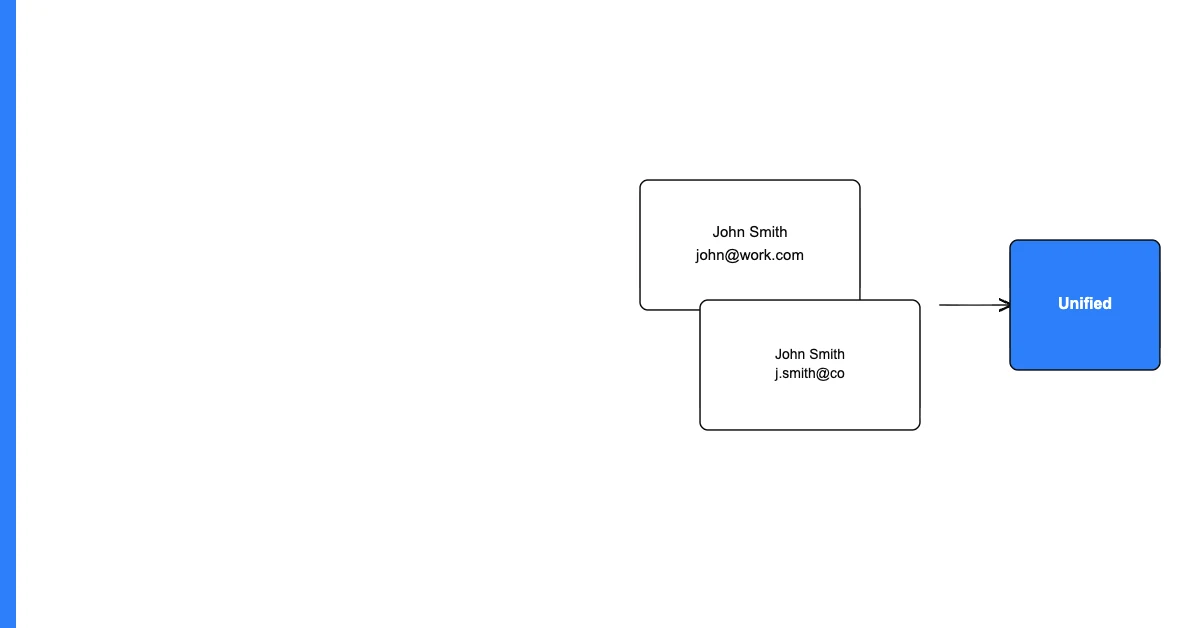
Fuzzy matching is a technique that measures the similarity between two strings rather than requiring an exact match — enabling deduplication of records that represent the same entity but are spelled, formatted, or abbreviated differently.
Most real-world duplicate records aren't exact duplicates. They're near-duplicates: the same customer entered twice with a slightly different name spelling, a company appearing under its full name in one record and an abbreviation in another, an address with a transposition error. Exact matching misses all of these. Fuzzy matching finds them.
Why Fuzzy Matching Is Necessary
Consider a contact database where the same person appears as:
- Record A: John Smith, john.smith@company.com
- Record B: Jon Smith, johnsmith@company.com
Sohovi finds gaps, duplicates, and format errors in your CRM data — so your team is working from records they can trust.
These share the same base email (different formatting) and a similar name (one typo). An exact match on email produces no match. An exact match on name produces no match. But a fuzzy match on email (token-based similarity: "john.smith@company.com" vs. "johnsmith@company.com") and on name (edit distance: "John" vs. "Jon") identifies this pair as high-probability duplicates.
The Main Fuzzy Matching Algorithms
Levenshtein distance (edit distance): Counts the minimum number of single-character edits (insertions, deletions, substitutions) to convert one string into another. "John" → "Jon" = 1 edit (delete an "h"). Lower distance = more similar.
Jaro-Winkler similarity: Measures character-level similarity with extra weight for matching prefix characters. Produces a score from 0 (no similarity) to 1 (identical). Good for names.
Soundex / Phonetic matching: Converts words to a code representing how they sound. "Smith" and "Smyth" produce the same Soundex code, so they match phonetically. Useful for name deduplication across dialect variations.
Sohovi automatically finds every duplicate in your dataset — including near-matches — and shows you exactly which rows are affected.
Token-based similarity: Breaks strings into tokens (words) and measures overlap. "International Business Machines" and "IBM" have low character-level similarity but might still be matched on company name if IBM is in a dictionary of known abbreviations.
Cosine similarity: Measures the angle between vector representations of strings (using TF-IDF weighting). Good for longer text fields.
A Practical Fuzzy Matching Workflow
Step 1: Choose your matching key fields. Which fields carry the most identifying information? Email is usually the most reliable key. Name is secondary. Phone is a good supplement. Address can be used but requires normalization first.
Step 2: Apply blocking first. Don't compare every record against every other record — that's O(n²) comparisons and is too slow for large datasets. Block first: only compare records that share some common attribute (same first initial, same domain, same ZIP code). This reduces the comparison space dramatically.
Step 3: Calculate similarity scores. For each pair of records in the same block, calculate similarity scores across your key fields. A weighted combination (email similarity × 0.5 + name similarity × 0.3 + phone similarity × 0.2) produces a composite match score.
Step 4: Apply a threshold. Records above the threshold are high-probability duplicates to review and potentially merge. Records below the threshold are likely distinct. Set the threshold based on your tolerance for false positives (incorrectly merged non-duplicates) vs. false negatives (missed true duplicates).
Step 5: Human review for borderline cases. Pairs near the threshold should be reviewed manually. Automated merge is appropriate for very high-confidence matches; human review is appropriate for borderline cases.
Frequently Asked Questions
Q: What is fuzzy matching in data deduplication? Fuzzy matching is a technique that measures string similarity rather than requiring exact equality — enabling identification of near-duplicate records where the same entity is spelled, formatted, or abbreviated differently across records.
Q: What's the difference between fuzzy matching and exact matching? Exact matching only identifies records where key fields are character-for-character identical. Fuzzy matching identifies records that are similar but not identical — handling spelling variations, abbreviations, transpositions, and format differences that exact matching misses.
Q: Which fuzzy matching algorithm should I use? Levenshtein distance is a good general-purpose choice for names and short strings. Jaro-Winkler is better for name matching specifically. Token-based matching is better for company names and longer strings with word reordering. Phonetic matching is useful when the same name might be spelled differently across languages or dialects.
Q: What is a blocking technique and why is fuzzy matching require it? Blocking reduces the number of record pairs to compare by first grouping records that share some common attribute (same first letter, same domain, same ZIP code). Without blocking, fuzzy matching requires comparing every record against every other record — O(n²) comparisons that become computationally infeasible for large datasets.
Q: What similarity threshold should I use for fuzzy matching? This depends on your risk tolerance. A threshold of 0.9 (90% similar) will produce very few false positives but will miss some true duplicates that differ on multiple fields. A threshold of 0.7 will catch more duplicates but will produce more false positives requiring review. Start conservative (0.85+) and adjust based on the false positive rate in your review queue.
Q: How do I fuzzy match email addresses specifically? Email addresses need a different approach than names. The domain after "@" should match exactly. The local part (before "@") should match using edit distance after stripping dots and plus-signs (gmail treats "john.smith@gmail.com" and "johnsmith@gmail.com" as the same address). A custom email similarity function handles this better than generic string similarity.
Q: What is deduplication recall vs. precision? Recall is the percentage of true duplicates your process finds. Precision is the percentage of your identified "duplicates" that are true duplicates. A higher threshold improves precision (fewer false positives) but reduces recall (more true duplicates missed). Adjusting the threshold is the primary way to tune this tradeoff.
Q: Can fuzzy matching be done in Excel or Google Sheets? Native Excel/Sheets don't support fuzzy matching well. You can approximate it with SOUNDEX functions for phonetic matching or SIMILARITY (available in some Sheets add-ons). For real fuzzy matching, Python's fuzzywuzzy/rapidfuzz libraries, OpenRefine, or dedicated data quality tools are more appropriate.
Q: How do I handle fuzzy matching for company names vs. person names? Company names need different treatment: abbreviation handling (IBM vs. International Business Machines), suffix normalization (Corp, Inc, LLC), and token order independence (Smith & Jones vs. Jones & Smith). Person names need phonetic matching, nickname handling, and initials handling. Use domain-appropriate similarity measures for each.
Q: What's the most common fuzzy matching mistake? Applying fuzzy matching directly to inconsistently formatted data without normalizing first. Normalize case, remove punctuation, standardize abbreviations, and strip common suffixes before running fuzzy matching. Fuzzy matching on raw, unstandardized data produces lower precision because formatting differences inflate the apparent dissimilarity.
Fuzzy matching catches the duplicates that exact matching misses — which, for most business datasets, is the majority of true duplicates. Start with high-confidence exact matching, then use fuzzy matching for the harder cases.