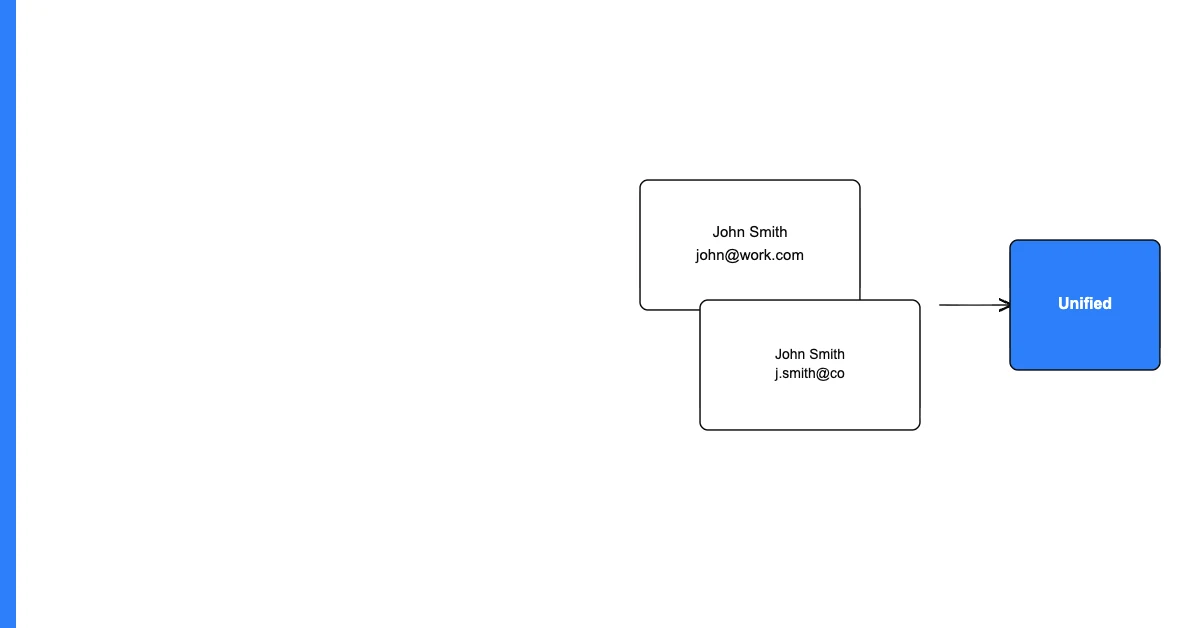
You can deduplicate contact records across multiple systems by establishing a common matching key (typically email address), performing cross-system matching to identify records for the same person in each system, designating one system as the source of truth, and synchronizing or merging records across systems based on that authority.
Cross-system contact deduplication is harder than single-system deduplication because you're not just removing records — you're reconciling different states of the same record across systems that may each have the most current information in different fields.
Why Cross-System Duplicates Are So Common
Most businesses use multiple systems that all store contact records: a CRM for sales, a marketing automation platform for campaigns, a billing system for payment records, a customer success platform for account management, and sometimes an ERP or helpdesk that adds more.
Sohovi finds gaps, duplicates, and format errors in your CRM data — so your team is working from records they can trust.
These systems often started as separate initiatives. Nobody planned for them to share contact data when they were adopted. Now they all have overlapping records, each maintained by different teams, each with different field completeness and recency.
The Cross-System Matching Framework
Step 1: Export contact records from all systems. Export a contact list (name + email + any other identifier fields) from each system. You don't need full records — just the identifying fields for matching.
Step 2: Choose a common matching key. Email address is usually the best cross-system key. It's unique per person, captured in every system, and unlikely to change. Phone number is a secondary option.
Step 3: Match records across systems. For each email address, find all records across all systems that share that email. These are your cross-system duplicates — the same person in multiple places.
Sohovi automatically finds every duplicate in your dataset — including near-matches — and shows you exactly which rows are affected.
Step 4: Identify the delta. For each matching set (all records sharing the same email across all systems):
- Which fields are the same in all systems? (consistent data)
- Which fields differ between systems? (inconsistent data — which system is authoritative?)
- Which fields exist in some systems but not others? (incomplete — which system has the most complete version?)
Step 5: Designate a system of record per field type. Not all systems need to be the source of truth for all fields. Typically:
- CRM is the source of truth for sales-related fields (deal stage, contact owner, lead source)
- Marketing automation is the source of truth for email engagement fields
- Billing is the source of truth for payment and subscription fields
Step 6: Synchronize. Once you know which system owns which fields, configure your integrations to respect that ownership: the billing system pushes subscription status to the CRM; the CRM pushes deal stage to the marketing automation platform; the marketing automation platform pushes engagement scores to the CRM.
Handling Records That Exist in Only Some Systems
When a contact exists in your CRM but not in your marketing automation platform, decide:
- Should this contact be created in the MAP? (If so, sync from CRM)
- Should it remain CRM-only? (Appropriate if they're not in an email audience)
Document these decisions — they form the basis of your cross-system data governance policy.
Frequently Asked Questions
Q: What is cross-system contact deduplication? Cross-system contact deduplication identifies records for the same person across multiple systems (CRM, marketing automation, billing, helpdesk) and reconciles them — ensuring consistent, complete information and eliminating redundant records.
Q: What's the best matching key for cross-system contact deduplication? Email address is typically the best cross-system key because it's captured in every customer-facing system, is unique per person, and is unlikely to change. Phone number is a reliable secondary key. Avoid using name alone — too many variations and collisions.
Q: How do I handle contacts who have different email addresses in different systems? This is the hardest cross-system deduplication case. Use secondary identifiers (phone number, name + company) to match records where emails differ. Accept that some mismatches are unavoidable — document them and route for manual review.
Q: What is a "system of record" and why does it matter for cross-system deduplication? A system of record is the authoritative source for a specific piece of data. When the same field exists in multiple systems with potentially different values, the system of record determines which value is correct. Defining systems of record prevents conflicts and circular sync issues.
Q: How do I synchronize contact records across systems without creating new duplicates? Use an "upsert" pattern in all integrations: when syncing a record to a destination system, check whether a record with the matching email already exists. If found, update the existing record. If not found, create a new record. Never blindly insert without checking for existing records.
Q: What's the biggest risk in cross-system deduplication? Incorrectly matching records for different people who happen to share an email address (a shared team inbox, for example) or who have very similar names. A false match that merges two different customers' records creates data corruption that may be difficult to reverse.
Q: How do I prioritize which systems to reconcile first? Start with the systems that drive the most important business processes. For most companies: CRM first (sales operations and forecasting), marketing automation second (campaign targeting), billing third (revenue recognition). Later: helpdesk, success platform, ERP.
Q: Can I automate cross-system deduplication? The ongoing maintenance (keeping systems in sync via upserts) can be fully automated through integration tools. The initial deduplication (resolving the existing mess of cross-system records) requires a one-time effort with significant human review for edge cases.
Q: What tools support cross-system contact deduplication? Integration platforms (Zapier, Make, Segment, Fivetran) can be configured to maintain consistent records across systems via upsert logic. Customer data platforms (Segment, RudderStack) are specifically designed for this use case. For the initial audit and matching, a spreadsheet export + VLOOKUP or Python-based matching is often sufficient.
Q: How long does a cross-system contact deduplication project typically take? For a 3-system environment with 10,000–50,000 total contacts, an initial cross-system deduplication project typically takes 2–4 weeks: 1 week for exports and matching, 1–2 weeks for review and conflict resolution, 1 week for implementing the synchronization logic. Ongoing maintenance is minimal once the initial project is complete.
Cross-system contact deduplication is a one-time investment that pays returns on every campaign, every sales operation, and every customer success interaction — by ensuring your teams are always working from a complete, consistent picture of each customer.