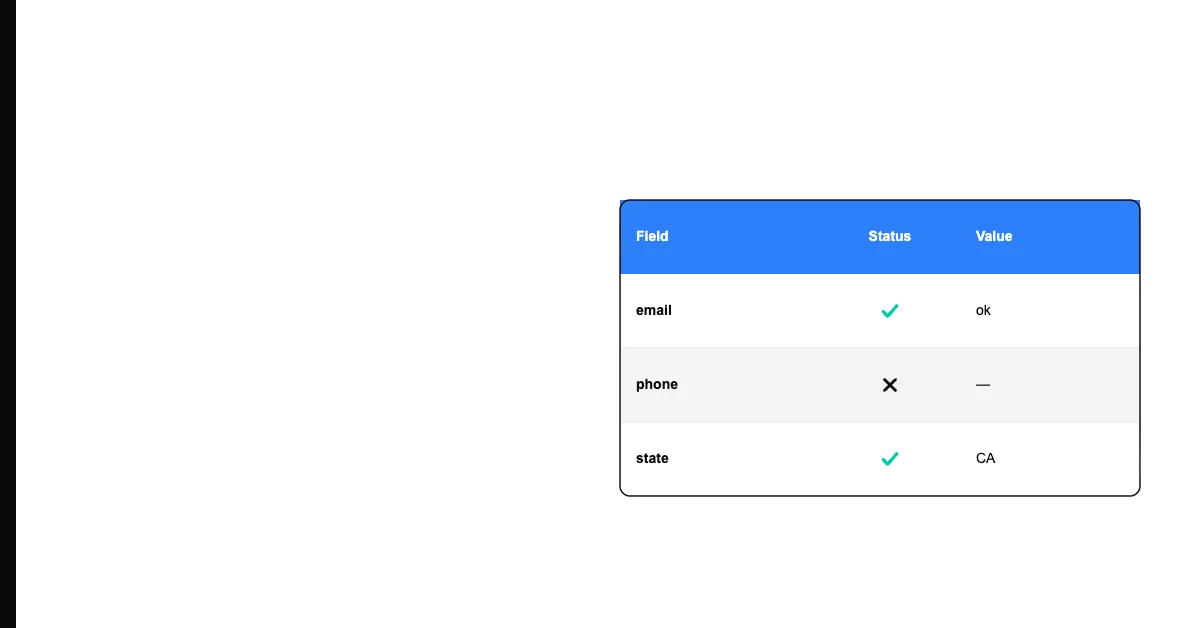
A customer record with no email address. An order with no shipping address. A product listing with no description. Each of these is a completeness failure — data that's missing information it needs to be useful.
Data completeness measures the degree to which all required data values are present in a dataset. A highly complete dataset has values in all the fields that should be populated. A dataset with low completeness has many missing values, blank fields, or nulls where real information should be.
Why Completeness Is the Most Visible Data Quality Dimension
Completeness failures are immediately obvious in a way that other quality problems aren't. A missing email is clearly missing. An inaccurate email looks fine until it bounces. That visibility makes completeness the natural starting point for most data quality assessments.
Sohovi profiles every column in your dataset for completeness and flags the exact rows where values are missing — free to try.
But completeness is more nuanced than it appears. Not every field needs to be populated for every record. A home address field on a B2B contact record might legitimately be empty. The question isn't whether a field has a value — it's whether a field that should have a value does.
How to Measure Data Completeness
The standard completeness formula:
Completeness Rate = (Records with a valid value / Total records) × 100
Applied to a specific field: if your customer list has 5,000 records and 4,700 of them have an email address, the completeness rate for email is 94%.
Applied at the dataset level: calculate the completeness rate for each required field, then average across fields (or weight by field importance).
What "Valid Value" Means
The formula requires defining what counts as a valid value vs. a missing one:
- Null / blank: Clearly missing
- Placeholder values: "N/A," "Unknown," "TBD," "0" in a field where 0 isn't a meaningful value — these are populated but not useful; whether they count as missing depends on your definition
- Whitespace-only: A field that appears to have a value but contains only spaces should be treated as missing
A rigorous completeness check counts as missing anything that isn't a substantive, usable value.
Field-Level vs. Record-Level vs. Dataset-Level Completeness
Field-level completeness: The percentage of records that have a value for a specific field. "Email completeness: 94%."
Record-level completeness: The percentage of required fields that are populated for a specific record. Useful for finding records that are partially complete — they have some fields but not all.
Dataset-level completeness: An aggregate score across all required fields in the dataset. "Overall completeness score: 89%."
What's a Good Completeness Rate?
There's no universal standard — the right threshold depends on the field and its downstream use:
| Field | Typical Threshold | Reason | |---|---|---| | Customer email (for a campaign) | ≥ 98% | High: email is the primary channel | | Customer phone | ≥ 85% | Moderate: secondary channel | | Mailing address | ≥ 90% | Depends on whether direct mail is used | | Customer ID | 100% | Required: every record must have an ID | | Optional notes field | No threshold | Optional by design |
Set thresholds based on business risk: what's the minimum completeness for this field before downstream processes are meaningfully degraded?
What Causes Completeness Failures
Optional fields that should be required: A form that doesn't make a critical field mandatory will have incomplete data. People skip optional fields.
Migration artifacts: During a system migration, unmapped source fields arrive empty in the destination.
Process changes: A field that was formerly required becomes optional after a process change. Historical records fill in; new records don't.
Third-party data sources: Vendor or partner data files often have lower completeness than internally collected data — they weren't designed to collect the same fields you need.
Bulk imports without validation: Imports that don't enforce required fields let incomplete records through.
Common Completeness Patterns to Watch
A few patterns show up often enough to check for directly, rather than waiting for an aggregate score to flag a problem:
Right-skewed completeness drop: Recent records are less complete than older ones. This usually means a form field, integration, or process changed recently — check what shipped around the date completeness started declining.
Source-specific incompleteness: One import source or channel is consistently worse than others. If leads from a particular partner feed are missing phone numbers at twice the rate of your own signup form, the gap is in that source's collection process, not your database.
Field-level incompleteness clusters: Certain fields tend to go missing together — often because they sit next to each other in a form and users abandon partway through, or because they're populated by the same downstream integration step. Clustered gaps point to a single root cause rather than several unrelated ones.
How to Improve Completeness
Enforce required fields at entry: Make critical fields required in forms, imports, and integrations. Null values are most easily prevented at the point where data is created.
Validate at import: A schema validation step that rejects or flags records missing required fields prevents incomplete data from entering the system.
Run fill-in campaigns: For existing incomplete records, run a re-engagement campaign to collect missing information from existing contacts.
Use enrichment: For fields that can be obtained from external sources (company size, mailing address, job title), data enrichment can fill gaps without requiring the data subject to re-engage.
Monitor over time: Track completeness rates on a regular schedule. A declining trend signals a process issue before it becomes a crisis.
Sohovi measures completeness per column in your CSV, showing you exactly which fields have gaps and how severe they are — the first step toward a targeted improvement plan.
Frequently Asked Questions
Q: Is completeness the most important data quality dimension? It's the most visible and often the first to be measured, but not necessarily the most important. A dataset can be 100% complete and still have low accuracy (all fields populated with wrong values). Completeness is necessary but not sufficient for high-quality data.
Q: What's the difference between completeness and accuracy? Completeness asks: is there a value here? Accuracy asks: is the value correct? A phone number that's filled in but disconnected scores well on completeness but fails on accuracy.
Q: How do I calculate data completeness in Excel?
Use COUNTA() to count non-empty cells and divide by the total row count. Example: =COUNTA(B2:B5001)/5000*100 gives the completeness percentage for column B across 5,000 rows.
Q: Should placeholder values like "N/A" count as missing? Depends on your use case. If "N/A" was entered to indicate a genuinely inapplicable field (a middle name field for someone without one), it's appropriately populated. If "N/A" was entered to skip a required field, it's a completeness failure. Define your rule clearly and apply it consistently.
Q: What's the difference between null and empty string? A null value means no value was ever assigned to the field — it's genuinely absent. An empty string is a value that was assigned — it's just blank. Both are typically treated as completeness failures, but the distinction matters when writing validation code: they require different checks.
Q: How does data completeness affect machine learning models? Machine learning algorithms typically can't handle missing values without preprocessing. Incomplete data requires imputation (filling in estimated values) or deletion of incomplete records — both of which reduce model quality. High completeness in training data produces better models.
Q: What is field-level completeness reporting? A report that shows the completeness rate for each field in a dataset — useful for identifying which specific fields have gaps rather than just knowing that the overall dataset has quality issues.
Data completeness is the foundation. Before you can rely on your data for campaigns, reports, or decisions, you need to know what's actually there. Profile your most important dataset for completeness, set thresholds that reflect your business risk, and build completeness monitoring into your regular workflow.
If you want to see your completeness rates per column in under a minute, Sohovi profiles any CSV for free — no code, no setup, no IT team required.