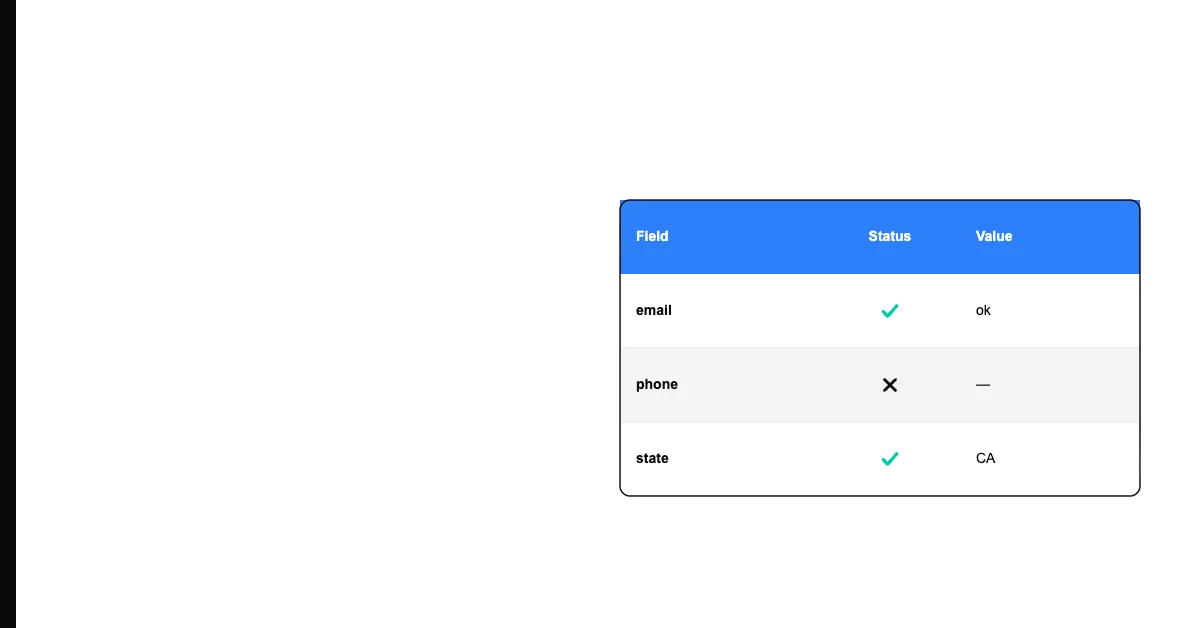
A customer record with a phone number entered in the correct format — but it's been disconnected for two years. The format is valid. The value is complete. But the data is inaccurate.
Data accuracy is the degree to which data correctly represents the real-world entities or events it describes. Accurate data reflects truth — not just technical correctness, but actual reality.
What Makes Data Accurate (and Inaccurate)
Data accuracy failures come in two types:
Sohovi scores your dataset against your own accuracy standards and highlights the columns and rows where values fall outside expected ranges.
Factually wrong values: The value entered doesn't match reality. A customer's name is spelled wrong. An order amount is recorded as $500 when it was actually $5,000. A product weight is listed as 2.5kg when it's 0.25kg.
Stale values (formerly accurate): The value was correct when recorded but is no longer true. A contact's email address changed when they switched employers. A company's billing address moved after an office relocation. A product was discontinued, but the record still shows it as available.
Both produce inaccurate data — the first because the information was entered incorrectly, the second because the world changed and the data wasn't updated. Manual entry is a major source of the first type: most environments see error rates of roughly 1-4% on hand-typed fields, which compounds quickly across a database of any size.
Data Accuracy vs. Data Validity
This distinction trips up even experienced data practitioners:
Data validity: Does the value conform to a defined rule? A valid email contains "@" and a domain. A valid date is formatted as YYYY-MM-DD.
Data accuracy: Does the value correctly represent reality? An email that has the right format but belongs to someone who left the company is valid but inaccurate.
Validity is machine-checkable — you write a rule and test against it. Accuracy is harder — you need to compare the data to a trusted external reference or the real world.
A dataset can be 100% valid (all values in correct format) and have significant accuracy problems (many values no longer reflect reality).
Why Accuracy Is the Hardest Dimension to Measure
Most data quality dimensions can be measured automatically:
- Completeness: count nulls
- Validity: apply format rules
- Uniqueness: count duplicates
- Timeliness: check update timestamps
Accuracy requires knowing what's true — and data systems don't inherently know that. Measuring accuracy typically requires one of:
Comparison to a trusted reference source: Compare email addresses against a verification service. Compare addresses against postal databases. Compare phone numbers against carrier lookup services.
Statistical sampling and manual verification: Take a random sample of records and manually verify a subset of fields against primary sources. The sample accuracy rate provides an estimate of the full dataset's accuracy.
Outcome-based proxies: Measure the results of using the data. A high email bounce rate indicates low accuracy for email addresses. A high call failure rate indicates low accuracy for phone numbers. These proxies don't measure accuracy directly but correlate with it.
Customer/data subject corrections: Track how often customers correct their information when they encounter it — high correction rates indicate accuracy problems.
The Business Impact of Inaccurate Data
Accuracy failures are expensive because they produce wrong outputs:
- Inaccurate shipping addresses produce failed deliveries
- Inaccurate contact information produces failed outreach
- Inaccurate financial records produce wrong reports and compliance exposure
- Inaccurate product data produces customer complaints and returns
Unlike completeness failures (which are obviously missing) and validity failures (which fail format checks), accuracy failures often look fine — they pass every automated check while producing wrong results in production.
Industry estimates suggest that data quality problems, of which accuracy failures are a significant component, cost organizations roughly 15–25% of revenue in operational inefficiency and failed processes. The IBM estimate often cited in data quality literature puts the annual cost of poor data quality in the United States at $3.1 trillion.
How to Improve Data Accuracy
Validate at entry, not after: Accuracy is easiest to ensure when data is first collected. Real-time address verification, email verification, and phone number lookup at the point of entry prevent inaccurate values from entering the system.
Use verification services: Periodic verification of key fields (email, phone, address) against commercial verification databases refreshes accuracy without requiring the data subject to take action.
Track outcome proxies: Monitor email bounce rates, delivery failure rates, and call failure rates. Investigate fields with high failure rates for systematic accuracy problems.
Make correction easy: When customers interact with your records (checkout, profile update, form submission), make it easy for them to correct their information. Self-service correction is the most cost-effective way to improve accuracy at scale.
Source from authoritative records: Where possible, populate fields from authoritative sources rather than manual entry. An auto-populated address from a validated address lookup is more accurate than a manually typed address.
Log the collection method: Tag each value with how it was captured — self-reported, verified against a third-party source, or system-generated. When an accuracy problem shows up later, knowing the source narrows down where to look instead of re-verifying the whole dataset. As a rough target, aim for 90%+ verified accuracy on email fields and 80%+ on phone fields before relying on them for outbound campaigns.
Sohovi's profiling surfaces format validity and outlier detection — the checks that proxy for accuracy. High format failure rates on a field often correlate with accuracy problems; outlier values frequently indicate data entry errors.
Frequently Asked Questions
Q: What's the difference between data accuracy and data precision? Accuracy is about correctness — does the value match reality? Precision is about granularity — how specific is the value? A product weight recorded as "2kg" might be accurate (it really does weigh about 2kg) but not precise (the actual weight is 1.987kg). Accuracy asks "is it right?" Precision asks "how specific is it?"
Q: Can you have 100% data accuracy? In practice, rarely. Data about the real world decays as the world changes. The goal is sufficiently high accuracy for the downstream use — not a mathematically perfect score.
Q: How does data accuracy affect analytics? Every analysis built on inaccurate data produces inaccurate conclusions. Wrong product weights affect inventory planning. Wrong customer locations produce wrong regional reports. Wrong sales figures produce wrong forecasts. Accuracy is the most direct driver of reliable analytics.
Q: Is data accuracy measurable without external tools? Partially. You can measure format validity (a proxy for accuracy), detect obvious outliers (extreme values that suggest data entry errors), and track outcome proxies (bounce rates). True accuracy measurement — verifying that each value reflects current reality — requires either manual verification or external reference data.
Q: What is referential accuracy? Referential accuracy means that a value in one field correctly references a real entity in a related dataset. An order record with a customer_id that matches a real customer is referentially accurate. An order record with a customer_id that doesn't exist in the customer table has a referential accuracy failure (also called a referential integrity failure).
Q: How often should I check data accuracy? For dynamic data (customer contact information), quarterly verification is a reasonable starting point. For financial data, accuracy should be verified before any significant use. For data that informs real-time operations (delivery addresses, contact information), real-time verification at entry is ideal.
Data accuracy is the dimension that matters most when decisions are on the line. Complete, valid, unique data that's also wrong produces confident bad decisions — which can be worse than obviously incomplete data that prompts investigation. Build accuracy verification into your data intake, monitor outcome proxies, and treat accuracy as an ongoing process rather than a one-time fix.